
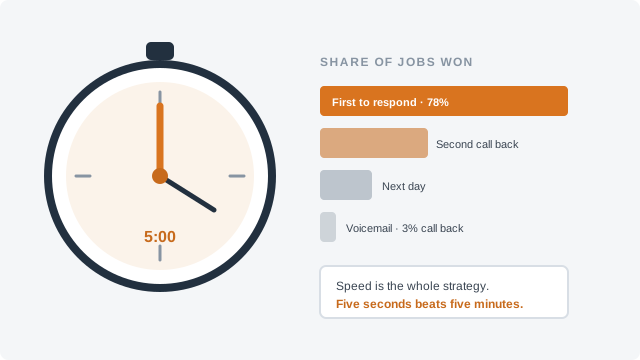
A homeowner fills in your form at 8:40 on a Tuesday night and presses Send. Then nothing happens. The page may say “thank you,” but nothing arrives in her inbox, so she has no proof the request went anywhere, no idea when she will hear back, and every reason to fill in the next company’s form too. An automatic reply that lands within seconds fixes the first two, and done well it makes the third less likely. Here is what to put in it, what to leave out, and how to set it up so it reaches the inbox.
What the reply is for
The auto-reply is not your answer to the request. It is the receipt, and it holds the place until you answer. That matters because the owner who would answer is usually on a job. Invoca’s 2026 home services benchmark report, drawn from calls tracked on its platform, found that only 52% of callers to home services businesses speak with a person. Forms arrive into the same busy day. The same report, again measuring calls, found that 55% of home services businesses do not ask leads to buy or book the job, and the auto-reply is one place where you can ask every single time, without relying on memory at the end of a long day.
The real reply still has to come quickly; speed is the subject of The Five-Minute Rule, and measuring how fast you really respond is in Your Answer Rate. The auto-reply covers the gap between the two.
What to put in it
Here is an example to adapt. Keep it short enough to read on a phone in ten seconds.
Subject: We got your [fence repair] request ([town])
“Thanks, [first name]. Your request for a [fence repair] in [town] reached us at [8:40 pm]. [Name], our estimator, will email you by [6 pm tomorrow] with either a price range or two times to come and look. Most [gate and post repairs] like the one you described run between [$low] and [$high], depending on [how many posts are set in concrete]. If you reply with two or three photos of the damaged section, [Name] can often give you a firmer number without a visit. [Business name]”
Fill the brackets from your own business, and take the range from what your past jobs of that kind actually came to, not from a guess.
Keep it a reply, not an ad
The federal email law, CAN-SPAM, sorts messages by their primary purpose. The FTC’s guide treats as transactional a message that “facilitates, completes, or confirms a commercial transaction that the recipient already has agreed to,” along with a few other kinds, and says such a message “may not contain false or misleading routing information, but is otherwise exempt from most provisions.” A homeowner who has only asked for a price has not agreed to anything yet, so do not lean on that label. Instead, keep anything that “advertises or promotes a commercial product or service” out of the reply altogether.
That means no coupon, no “while we have you, ask about gutter guards,” no newsletter pitch. When a message mixes an ad with content that is neither commercial nor transactional, the FTC judges it by the subject line and the body: if a recipient reading the subject line “would likely conclude that the message advertises or promotes a commercial product or service,” or a recipient reading the body would likely conclude its primary purpose is to advertise, the email is commercial. Where the ad sits, how much of the message it takes and how it is highlighted all count. Commercial email needs an opt-out, your postal address and the rest. The guide puts the penalty at up to $53,088 for each email that breaks the law. The commercial rules, and how to write a past-customer email that meets them, are in Emailing Past Customers.
Getting it into the inbox
An auto-reply that lands in spam is worse than none, because you think it worked. Google’s email sender guidelines, the rules for delivering to personal Gmail accounts, set out what matters:
Do not let bots use it
Anyone can type any email address into a web form, including a stranger’s. If your auto-reply repeats whatever was typed in the message box, a bot can use your form to send its text to people who never contacted you, under your domain. So do not echo the visitor’s message back; restate only the job type and town from fields you control, such as a drop-down. Put the spam layers in front of the form so most junk never triggers a reply at all; Stopping Contact Form Spam covers which layers to use without turning real homeowners away.
Test it like a customer
- Fill in your own form from a personal Gmail address and one other provider, on a phone.
- Check that the reply arrives, in the inbox and not in spam or promotions, and how long it took.
- Read it on the phone screen. Is the “by when” clear in the first two lines?
- Reply to it, and make sure the reply reaches a person who reads it.
- Try it again on a Saturday night, and once a quarter after any change to your site or email.
One last point: this is about email. An automatic text message is a different thing, with its own consent rules, set out in Texting Customers in 2026.
If price is what your customers ask about first, and you want a range on your site before they ever fill in the form, NapkinPrice™ puts an instant price range from your own pricing rules on your website, and your auto-reply can then simply repeat the range they already saw.
General information, not legal or tax advice. Rules change and vary by state; check with the agency named above or a professional for your situation.