
No demo required to read a price
Most software in this trade hides the answers behind a form and a 45-minute call with somebody named Chad. We would rather you read the whole thing at 9pm in your truck and decide for yourself.
34 questions, grouped by what you are actually trying to work out. Longer answers than you expected, on purpose.
Getting started
About thirty minutes for the whole suite, and you can do it in the cab of your truck. CallMitt™ is the fastest — you enter your business number, your hours and your five message templates in about fifteen minutes. NapkinPrice™ takes longest because you have to set your own prices, which is the part only you can do.
The trade pages walk you through the questions and rates that matter in your trade, so you are adjusting a short list rather than inventing a price book from a blank page. Most owners spend twenty minutes on it and then stop fiddling.
No. NapkinPrice is one script tag, pasted where you want the form to appear. On WordPress, Squarespace, Duda or a site your nephew built in 2019 it sits in the page like anything else. Wix and GoDaddy put pasted code in a box of fixed height, so there the box has to be set tall enough for the form: at least 700 pixels on a phone, more if you show reviews on the form or take bookings from it. Some builders run scripts only on a paid plan, WordPress.com, Squarespace and Webflow among them. The widget ships in a clean neutral style that sits on any site; agency partners set the accent colour for their clients, and per-account theming is on the roadmap.
If you genuinely have no website at all, CallMitt and CrewFunnel™ do not need one: CallMitt lives on your phone line and your texting number, and CrewFunnel’s screening link is a page we host, so it goes anywhere you post a job. CallMitt’s texts start sending once your carrier registration clears; until then each text-back is kept in your outbox to read, and one held more than an hour is never sent, so call that customer back yourself.
Yes, if you would rather not touch your website. Data Processing, LLC, the web agency that built Tailgate Office, will put NapkinPrice on your site, set up your first service from your price sheet and send a test quote, for $125 one time.
Right now it is free for the first 100 NapkinPrice customers to claim it by March 14, 2027. The account owner claims it with the button on the NapkinPrice page of your dashboard; Tailgate Office pays Data Processing for it and you pay nothing. It is one per business, for accounts that signed up with us directly on any plan that includes NapkinPrice (the bundle does), on a free trial or a paid plan, with your website on the account (agency partners handle setup for their own clients). It ends when the places are gone or after that date, whichever comes first, and has no cash value. Full terms.
Outside the promotion it is their service and they bill you for it directly. Tailgate Office still has no setup fee: doing it yourself is one line of HTML and the thirty minutes described above.
No, and please do not. We are deliberately not a CRM of record: the Bundle keeps a customer list with jobs, estimates and invoices, but scheduling, dispatch and the books stay in the system you already run. Leads captured by the widget and conversations started by the text-back get handed out by CSV export today and by signed webhook (live in beta: deliveries wait for the worker, which is being scheduled) — which is how you push them into Jobber, Housecall Pro or a spreadsheet, through Zapier. A new lead also emails your office today; native connectors and text-message alerts are on the roadmap; integrations marks the difference row by row.
If you do not use anything at all, the shared inbox and the dashboard are the whole system — every quote, missed call and applicant lands there with the full job spec, and that is perfectly sufficient for a one or two truck operation.
You pick your plan and you do not enter a card. Signing up creates your trial account on the spot; your username and a link to choose your password are emailed to you straight away. Once you are in there is a short checklist: enter your phone number, write your text-back message, set your prices, paste the script tag. Do them in any order; do only the ones you care about.
If your carrier registration is still pending near the end, or you have not had a real quote or call yet, the trial extends itself and your dashboard says why. About five days before the end we call or text you personally to say when the trial ends — a person, not an automated sequence, until our mail and text plumbing is switched on. That is the entire sales process. Nobody calls you six times, because we do not employ anyone whose job that is.
NapkinPrice is $99 a month. CallMitt is $49. CrewFunnel is $69. HurraBell is $49. All four together are $199, which is $67 less than buying them separately. Those are per-business prices, not per-user — add your foreman, your spouse and your office manager for nothing.
Prepay a year and you get two months free: $1,990 for the bundle instead of $2,388. There is no setup fee, no onboarding fee, no per-lead fee and no cut of your jobs on any plan.
One caveat while we are being plain about money: billing is by invoice, there is no payment processor connected today, and nothing is charged to a card. Annual prepay, card and ACH receipts and automatic refunds all turn on with it.
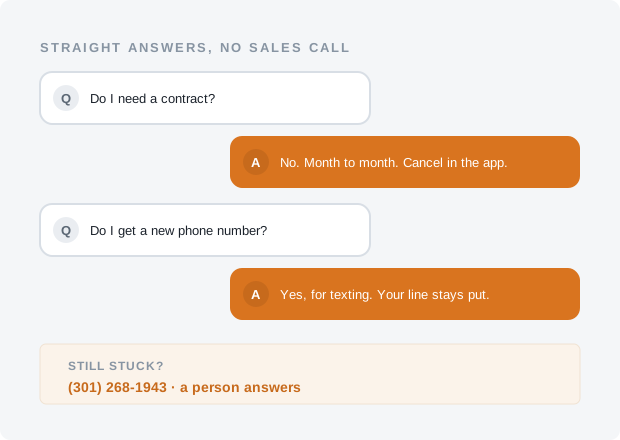
No. Month to month, always. Cancel from a button in the dashboard — no phone call, no written notice, no retention specialist. This matters more than it sounds: Podium is typically sold on annual contracts and Team Engine is quoted as an annual agreement, and mid-term exits from those are famously unpleasant. If we stop earning $199 a month you should be able to leave the same afternoon.
Your account goes read-only rather than getting wiped. Quoting and text-back stop, but your pricing rules, message history, lead records and applicant pool sit there for 90 days in case you come back or need to export something for your accountant.
You can export leads and applicants to CSV at any time, including after cancelling. Your business number is yours and stays with your carrier — nothing about leaving here touches it — and your texting number is registered to your business, so you can take that with you too.
No. Hit Pause on your Billing page for up to four months a calendar year, free. Billing stops, the tools go quiet, and everything you configured stays exactly as you left it: number, pricing rules, message history, applicant pool. One click brings it back.
This is deliberately more generous than the roughly $50 a month ResponsiBid charges to hold a seasonal account. Charging a snow-removal company in July felt like something we would have to explain, so we do not.
Yes. Nothing has charged you yet — billing is by invoice and there is no payment processor connected today. If card billing is ever connected: if you get charged for a month you did not mean to use, email us within 30 days of the charge and we refund it in full — no form, no reason required. Annual prepays get refunded for whole unused months at the regular monthly rate. We would rather give the money back than have you telling the other guys at the supply house that we kept it.
Yes. Your trial has everything; at the end, or any time on your Billing page, pick just the tools you want and you pay their prices added together. CallMitt and HurraBell are $49 and $49, so the pair is $98 a month. Add a tool or drop one whenever you like; it is month to month, like everything here.
The bundle is the ceiling, not a separate product. The moment the tools you have ticked add up to $199 or more, you pay $199 and get all four, so nobody pays more for three tools than for four.
The four tools each catch a moment: a quote, a missed call, an applicant, a review. The office is what ties them together afterwards: a customer list built from your inbox (one record per person, with notes, tags, CSV import and export), jobs that move from quoted to booked to done, estimates your customer accepts from a link, invoices with a pay link on your own Stripe account, a Work page for the crew, repeat-service reminders and a referral ask, your reviews on your quote form, your visits in your own calendar, postcards from your customer list, and suggested replies under your own AI key.
It comes with the Bundle only, because every piece of it reaches across the four tools: a job starts from a quote, is booked from a visit, asks for its review when it is done and shows up in the weekly summary. A single tool keeps its own basics (the quote form and its lead alerts, text-backs, hiring, review requests, the weekly summary, Links & QR). A free trial has everything the Bundle has for 30 days, so you can see the office before you pick your tools. The office, page by page.
The same one-line install also draws a short “Message us” form: a name, a message, and a phone number or an email. You switch it on from your NapkinPrice page and place it wherever you like, as a form on the page or behind a button. The message lands in the same inbox as your quotes and calls, and we email you the moment it arrives. You reply by email or phone. Where your texting number is live, visitors also see a “Text us” link, and a box they can tick if they want your reply by text; we never text anyone who did not ask for it.
It shows a range, never a fixed number, and you set how wide that range is. A homeowner sees “$4,200–$4,900 for 140 feet of cedar privacy fence, subject to a site visit” — enough to know whether they can afford you, not enough for a competitor to undercut you to the dollar.
You also keep every off-ramp: minimum job values, travel-zone surcharges, and a rule that sends anything above a dollar threshold or outside your service area straight to “we need to look at this one” instead of showing a number at all.
The widget never issues a binding quote. Every estimate is labelled as a range pending confirmation, the terms are shown on screen before the homeowner submits, and they are stored with the lead. You confirm the final number after you have seen the site, exactly as you do today.
In practice the range does the opposite of trapping you: it filters out the people whose budget was never going to work, so you stop driving forty minutes to quote a job that dies on price.
Probably, if the complexity is arithmetic. Per linear foot, per square foot, per fixture, per window, per cubic yard, flat fees, minimums, tiered rates, material multipliers, add-ons like gates and tear-out, travel zones by ZIP, seasonal rates, and rush surcharges are all standard.
Where it falls down is judgement — full-gut remodels, structural work, historic restoration, anything you cannot price without standing in the room. If that is most of your work, do not buy NapkinPrice; we say so plainly on the comparison page. CallMitt on its own may still be worth it, because missing the call about a $90,000 remodel is a different kind of bad day.
It is a small asynchronous script that loads after your page content, so it does not block rendering and does not drag your Core Web Vitals down. It adds a button, not a page. If you want to check for yourself, run your site through PageSpeed Insights before and during the trial — that is a fair test and we would rather you ran it than took our word.
You keep the one you have, and you get a second one for texts. Your business number stays exactly where it is, with your existing carrier, ringing exactly as it does now: nothing is ported and nothing about it changes. The automatic reply goes out from your own texting number — a local number in your area code, registered to your business. US carriers do not let texting software send from a number on a mobile plan, which is where most contractors’ business lines live, so the caller dials one number and hears back from another. It works because the text opens with your business name and thanks them for calling: a text from a local number that names you in its first words gets read, and a text from an unfamiliar 800 number gets ignored. The carrier registration behind it has not gone in for anyone yet — it waits on our carrier account — and until it clears no texting number is bought and the replies are composed and queued rather than sent. How a missed call reaches that number is the next answer.
The carriers’ monthly fee for the texting number is yours, at cost, and we add nothing to it; the compliance section below gives the figures. If you would rather run a separate tracking number for a specific campaign or a second service line, we will set one up once numbers are live, and it carries the carrier’s monthly fee as well. Either way the number is registered to your business, and if you leave you can take it with you to the carrier you choose.
Once call forwarding is on it takes the place of your voicemail for the calls you miss, and you should hear that from us before you sign up. Today missed calls are logged by hand in your portal and your voicemail is untouched. When texting goes live you dial a forwarding code once, from the setup guide, and a call you do not answer in about twenty seconds forwards to your texting number: the caller hears a short greeting saying a text is on its way, and the text goes out. That greeting is what they get instead of your voicemail box; calls you answer are untouched. It is a good trade, because people reply to a text instead of leaving a message nobody was going to return — the callback rate on contractor voicemail runs around 3%.
Forwarding is your own setting on your own line, and a second code switches it off. An unanswered call can forward to one place at a time, so if you use an answering service you point it at them for the hours they cover and at your texting number for the rest, and callers never get a human and a robot at the same time.
You write it. The default is deliberately plain: “Hi, thanks for calling Bob’s Fencing! Sorry we missed your call — we’re likely on another job. Reply to this text and we’ll text you right back. Reply STOP to opt out.” Short, obviously from a real business, and it invites a reply rather than announcing a callback window.
You can set different messages for business hours, after hours, weekends and holidays. The after-hours version usually works hardest, because it is the one that catches a homeowner at 8:40pm who was about to call three more companies.
No. Replies will land in your shared inbox — it runs in a browser, so your phone is fine — and you answer when you can. Nothing automated goes back out at 11pm either, and that is deliberate: the quiet window holds every automated message to roughly 8am–9pm in the recipient’s time zone, with no setting that overrides it. The homeowner already has your text, so the conversation politely waits for morning.
The point of an instant reply is not that you respond instantly. It is that they stop dialling your competitors, because roughly 78% of jobs go to whoever gets back to them first.
Replying to someone who just called your business is an existing-inquiry situation, which is the narrow and well-established lane we operate in. CallMitt only texts numbers that dialled you first, every message identifies your business by name, and every message will carry STOP — the opt-out and suppression lists, the quiet hours and the once-an-hour dedup are already enforced before anything is even queued.
We will also file your A2P 10DLC brand and campaign registration with the carriers, whose fees for it are yours at cost; nothing has been filed for anybody yet, because the filing waits on our carrier account, and texting goes live behind it. What we will not do is help you blast a purchased list — that is the part that gets businesses sued, and it is not what this product is for. Full detail on the TCPA and 10DLC compliance page.
You put “Now Hiring — Text CREW to (555) 010-4477” on your trucks, your yard signs, your job-site banner and the bottom of your invoices — your own texting number and your keyword, not ours. Someone follows your screening link — or, once inbound texting is live, texts the keyword — and answers your screening questions one at a time: experience, licences, transport, availability, pay expectation, whatever matters in your trade. Questions can carry an English and a Spanish label.
Qualified answers land in your dashboard with the transcript and a 0–10 fit score attached, and you book an interview in two taps with a downloadable .ics invite. Anyone who trips a knockout rule gets a polite decline on the spot. Your keyword, the screening link and a printable Now Hiring sign with its QR code are included in the $69; signs with a text keyword wait on texting.
Different problem. Indeed is now pay-per-click, which for a micro business typically runs $150–300 a month and climbs when you actually need people, because that is when everyone else is bidding too. You are renting attention from strangers by the click.
CrewFunnel converts people who are already looking at your truck at a red light or your sign in a front yard. Those people have seen your work, know your service area, and often know somebody who works for you. It is a smaller pool and a much warmer one. You can run both — this is not an either-or.
It is the entire reason the screening is a phone-shaped conversation rather than an application form. A good installer at 4:30 on a Friday will tap through five short questions on his phone. He will not open a laptop, create an account, upload a PDF resume and answer eleven screens. One link, one question at a time, no account — and the screening happens in the conversation instead of behind a form he was never going to finish.
They stay in your applicant pool, permanently, with their screening answers attached. When you land a big contract in March and need two guys on Monday, you are not starting from zero — you message the pool. That pool survives a seasonal pause and survives cancellation for 90 days, and you can export it to CSV whenever you like.
One request per finished job, in your words, with your own Google review link. You mark the job done and the email goes after a delay you pick — no delay, an hour, four hours or the next day; an hour unless you change it. A text goes as well only where the customer agreed to texts about that job and texting is live on your account, and it waits for a decent hour. Three days later, one email reminder, unless she has already opened the link or got back in touch. Then it stops.
Review requests aren’t switched on yet, so nothing is sent today. When they are, two things have to be on the account before the email leaves: your Google review link and your business’s mailing address, because the law puts a real address at the foot of every customer email. Texts wait on your carrier registration, the same as CallMitt’s. Every request, every open and every skip is in the log, and the log exports to CSV.
You tell it, one of three ways. Press Job done on the customer’s thread in the inbox. Use the Ask form on the HurraBell page from your phone at the kerb. Or let your job software say it: Jobber, Housecall Pro, a Google Sheet or anything else that can call a web address reaches it through Zapier with a key from your HurraBell page. Marking the same job twice sends nothing twice.
And nothing goes to a customer you have already asked in the last six months, whichever way the job comes in.
No, and that is deliberate. Once review requests are switched on for your account, every finished job is asked. If one should not be — a job that was never completed, a customer who asked not to be contacted, a duplicate, a test — you skip it with a reason from a short list, and the skip sits in the log with that reason. There is no rating screen before the link and no “only if you were happy”.
Asking only the customers you expect to be pleased is review gating. Google’s policy forbids it, and a listing caught doing it can lose its reviews. The outfit with sixty reviews got them by asking everyone, not by choosing.
No. When you save your wording the page checks it: a gift card, a discount, a prize draw, anything of value for a review is refused, and so is steering — “five stars”, “if you were happy”, “mention our technician”. You ask; the customer says what she thinks.
Google removes reviews it believes were bought, and since 2024 the FTC can fine the business that bought them. We would rather the page refused the sentence than you found that out.
No. HurraBell asks every customer for a review, once, in your words, and stops there. It does not reply to reviews, does not manage your listing, does not watch Yelp and does not filter who is asked. Podium and Birdeye do those things, at their prices, and Google bans the filtering anyway.
What $49 a month buys is the boring, reliable half of the job: the ask that never gets forgotten. Replying to the review is still you, on Google, in your own time. The HurraBell page has the comparison.
It is the registration system US carriers require before a business can send application-to-person texts from a normal ten-digit number. Skip it and your messages get filtered or blocked, usually without anyone telling you. It needs your legal business name, EIN, address and a description of what you send.
We file it for you, from the business details you give us once, and we chase it until it clears. The carriers’ fees for it are yours, at cost: about $20 once for the brand and campaign registration and under $3 a month for your texting number and campaign, at the carriers’ September 2026 rates, plus sales tax where it applies, paid with your own payment method when the filing goes in. We add nothing to them. Nothing has been filed for anybody yet — the filing waits on our carrier account — and texting switches on behind it.
Not in the way it is designed to be used. CallMitt only messages numbers that called you first, which is the existing-inquiry lane. Every message identifies your business by name, honours STOP immediately and permanently, and respects quiet hours. CrewFunnel only messages people who texted your keyword first. NapkinPrice can send one follow-up text about a quote, only if you switch it on and only to a customer who ticked a separate box on your quote form asking for it.
Where people get into trouble is cold outreach to purchased lists, and we do not support that at all — there is no import-a-list-and-blast-it feature, deliberately. We are a software vendor and not your lawyer, so if you are in a heavily regulated niche, talk to yours. But the shape of the product is conservative on purpose.
We store it to run the service and nothing else. We do not sell it, we do not rent it, we do not share your leads with other contractors, and we do not use your customers as an audience for anything. The production domain runs HTTPS, so your data is encrypted in transit, and access is limited to the staff who need it to support your account. We say transport encryption because that is precisely what we can claim; the security page spells out the rest without marketing language.
You can export everything to CSV at any time and you can ask us to delete it. If you cancel, nothing is deleted straight away: it stays read-only and exportable for at least 90 days, and we remove it whenever you ask. Photos homeowners attach to quote requests are not in the CSV export (it says how many there were), and they are deleted from storage 90 days after you cancel, so save any you need. Your leads are yours — that is not a favour, it is the deal.
Question we did not answer?
Call (301) 268-1943 and a person picks up, usually on the second ring, because it would be embarrassing if they did not. Or email support@tailgateoffice.com and you will get a real answer rather than a ticket number.
Prefer to just try it? The trial is 30 days, needs no credit card, and cancelling is a button. There is nothing to unwind if the answer turns out to be no.
The office your truck never had.
Set it up tonight. It quotes tomorrow's leads, and every missed call you log gets answered from one inbox. Free for 30 days, no card required.